Biomi Menu
Biomi Menu is a free platform for small businesses to create and maintain their menu online. Register categories, products, photos, prices, extras and banners, generate QR Codes for the menu or specific tables and choose how to serve: consultation only, selection sent via WhatsApp or simple command panel. Everything works through the browser, without requiring a full POS.
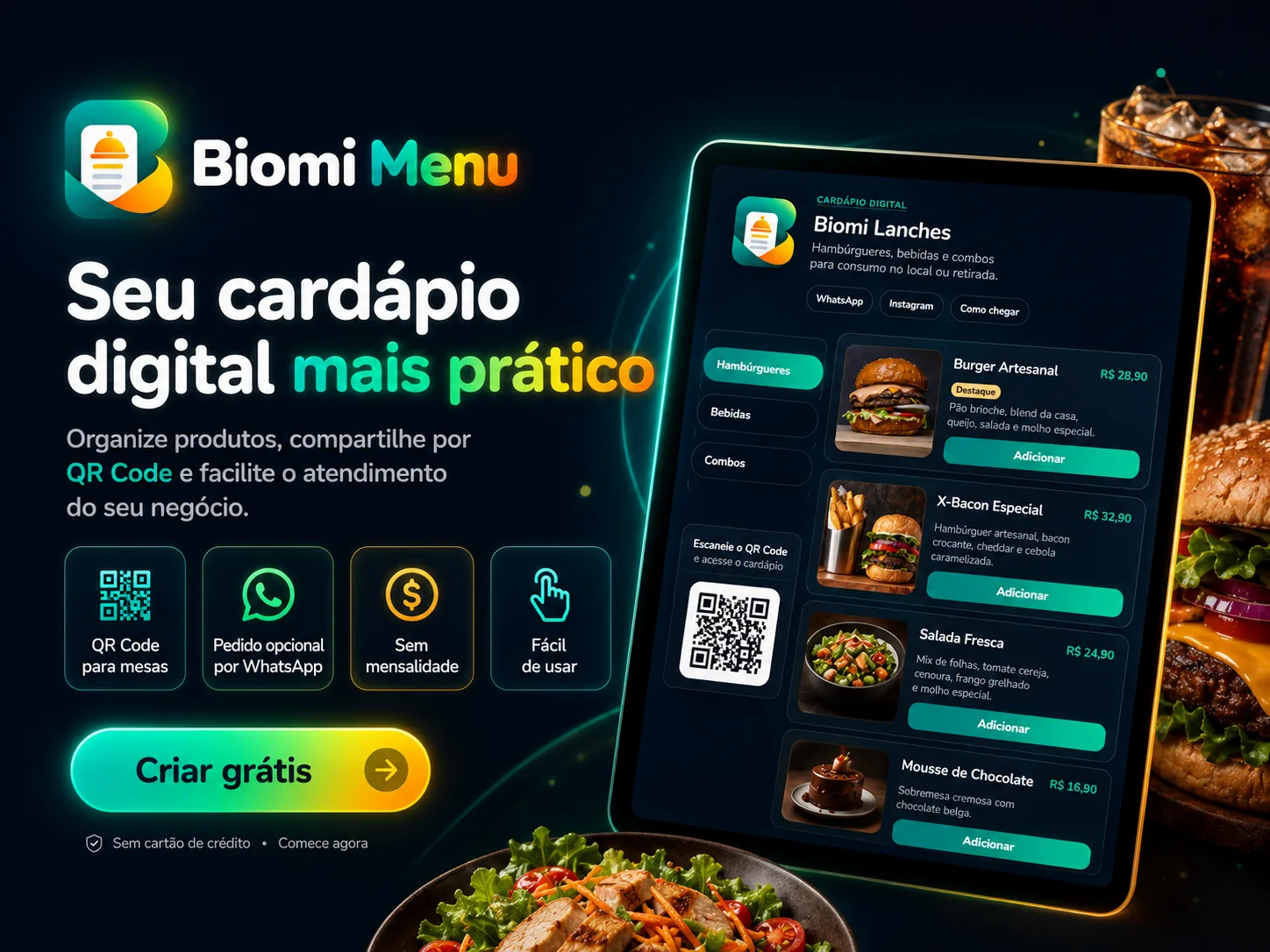
Your digital menu, simple to update and easy to access
Outdated printed menu, PDF file lost on WhatsApp and price that has changed but continues to appear wrong do not need to be part of your business routine.
Biomi Menu was created to solve the essentials: putting your menu online, keeping products and prices updated and facilitating customer access via cell phone.
It is a free digital menu platform, with no monthly fee and no fee per order, developed especially for small businesses that need the basics done right.
Create your menu your way
In the panel, you can organize your menu using:
- categories;
- products;
- photos;
- prices;
- descriptions;
- highlights;
- additional features and options;
- variations;
- availability;
- display order;
- promotional banners.
When any information changes, simply update it via the browser on your cell phone or computer.
QR Code for the menu and for each table
After creating the menu, you can share the address directly or generate a QR Code.
Biomi Menu allows you to work with both a general QR Code and codes identified for specific tables.
This allows you to place access to the menu on tables, counters, entrances to the establishment, packaging, cards, printed materials or other points of contact with the customer.
And there is a practical advantage: you can change products, photos, prices and availability without having to print the QR Code again, as long as the public address remains the same.
Three ways to use
Not every establishment works the same way. Therefore, Biomi Menu allows you to choose between three operating modes.
1. Menu only
The customer accesses the menu and consults categories, products, photos, descriptions and prices.
No selectors, add button or cart appear.
It is a direct option for establishments that continue to take the order at the table or at the counter and just want to replace the physical menu or PDF with an updateable page.
2. Selection via WhatsApp
The customer can choose the items and Biomi Menu prepares an organized message to open on WhatsApp.
The client remains responsible for reviewing and sending the message. The platform does not consider the simple opening of WhatsApp as a confirmed sale.
3. Simple command panel
For those who wish to receive the selection within the system itself, it is possible to use a simple queue of commands.
The team consults the request on the panel and can remove it from the queue when it is ready, maintaining a lean operation without transforming the menu into a complete management system.
Made for small businesses
Biomi Menu was designed for establishments that need to present their products in an organized manner and update information easily.
It is especially suitable for:
Restaurants
Organize dishes, drinks and QR Codes by table.
Snack Bars
Present snacks, extras, drinks and combos.
Pizzerias
Organize flavors, sizes, options and promotions.
Burger restaurants
Highlight burgers, sides, extras and drinks.
Cafeterias and sweet shops
Keep coffee, sweets, snacks and seasonal items always up to date.
Bars
Organize snacks, drinks, beers, beverages and combos.
Food trucks
Take the same link or QR Code to different locations and events.
Ice cream shops
Show flavors, sizes, extras and promotions.
Your customers don't need to install anything
The customer accesses the public menu via the link or simply points the cell phone camera at the QR Code.
No need to create an account or install an app to view the menu.
The registration, administrative panel and public page were also prepared to work on smaller screens, allowing information to be managed via the cell phone.
Update the menu without reprinting everything
One of the problems with the physical menu is simple: any change can generate a new impression.
In Biomi Menu, if a product runs out, you can change its availability. If the price changes, update in the dashboard. If a promotion comes up, highlight it on the menu.
The already distributed QR Code continues to point to the updated page.
Simple by choice
Biomi Menu does not attempt to replace all of a restaurant's tools.
It is not a tax, financial, inventory, cash front or delivery management system. It also does not promise to automatically record a completed sale.
The proposal is different:
publish and maintain a good digital menu without forcing small businesses to implement a complex system.
You choose whether you want to just show the menu, forward the selection via WhatsApp or work with simple commands.
Really free to start
Registration and use of the digital menu are free.
Biomi Menu currently reports:
- free registration;
- no monthly fee;
- no fee per order;
- QR Code included;
- no mandatory POS;
- browser operation;
- registration without payment details.
Take the menu off paper
Register your company, organize categories and products, add photos and prices, choose how it works and publish.
Then, just share the link or place the QR Code where your customers are already.
Biomi Menu the basics that your menu needs, without the complexity that your business doesn't need.